Architecture · LikeC4
EnterpriseBench
Sources tasks from OSS history, runs agents in multi-repo sandboxes under 3 tool modes, scores via checkpoints, and reports context-retrieval quality
The whole picture
System landscape
The system in context, then opened up into its containers.
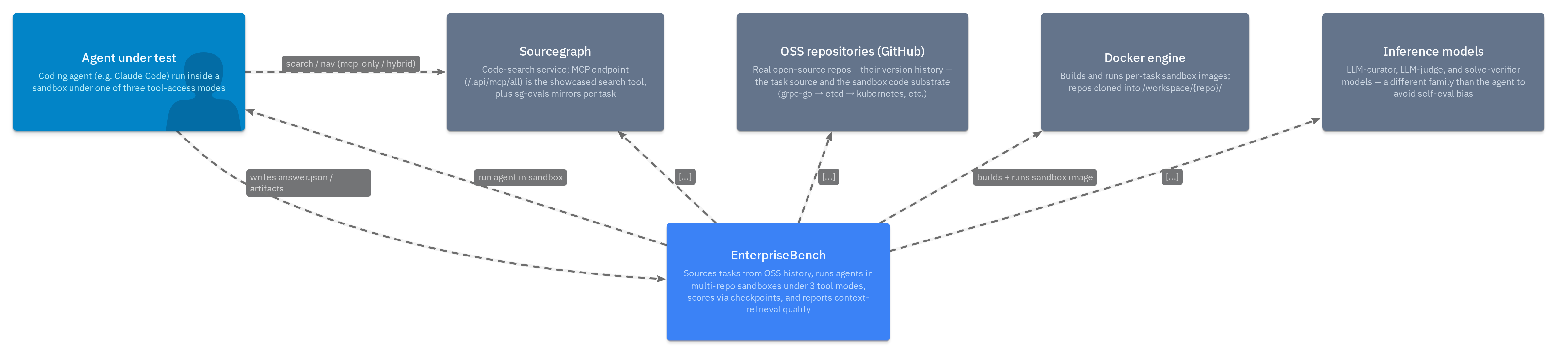
EnterpriseBench — system landscape
index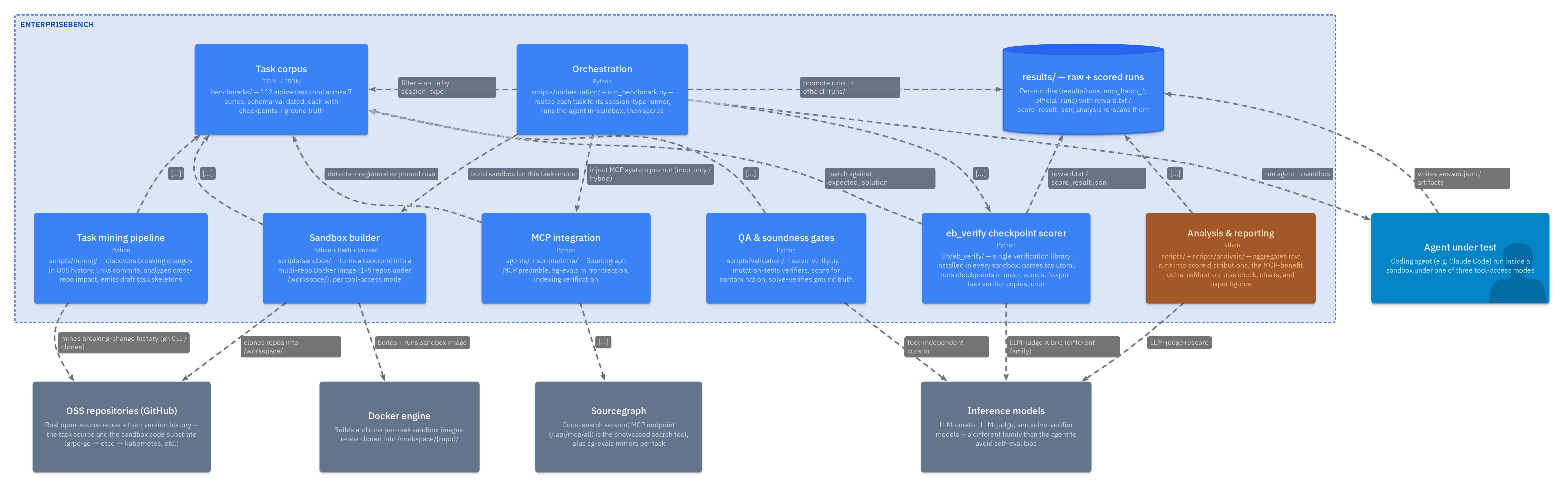
EnterpriseBench — containers
ebSystemSources tasks from OSS history, runs agents in multi-repo sandboxes under 3 tool modes, scores via checkpoints, and reports context-retrieval quality
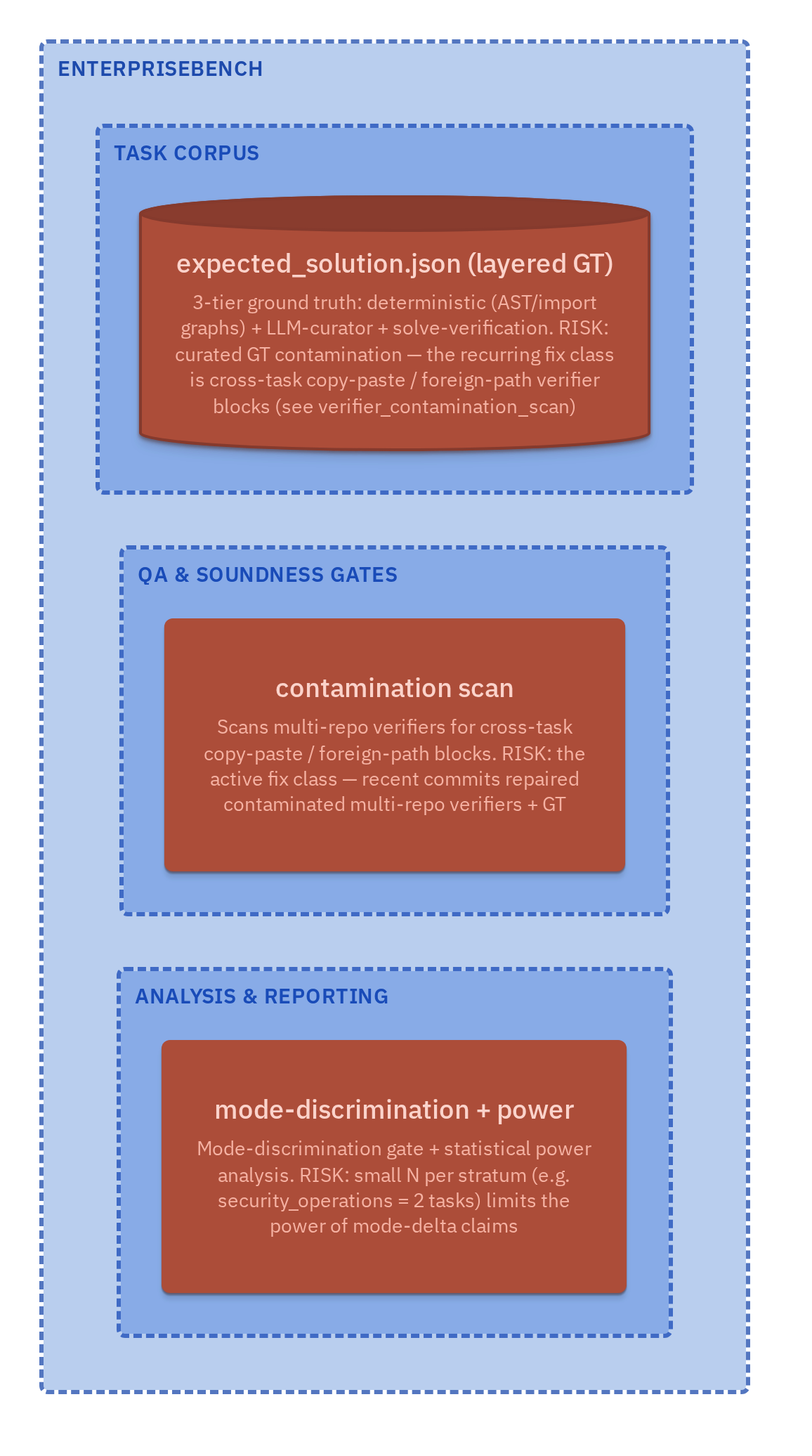
Risks & open questions
risksInside each box
Containers & components
Each part decomposed into the components that implement it. Every box links to its source in the interactive explorer.
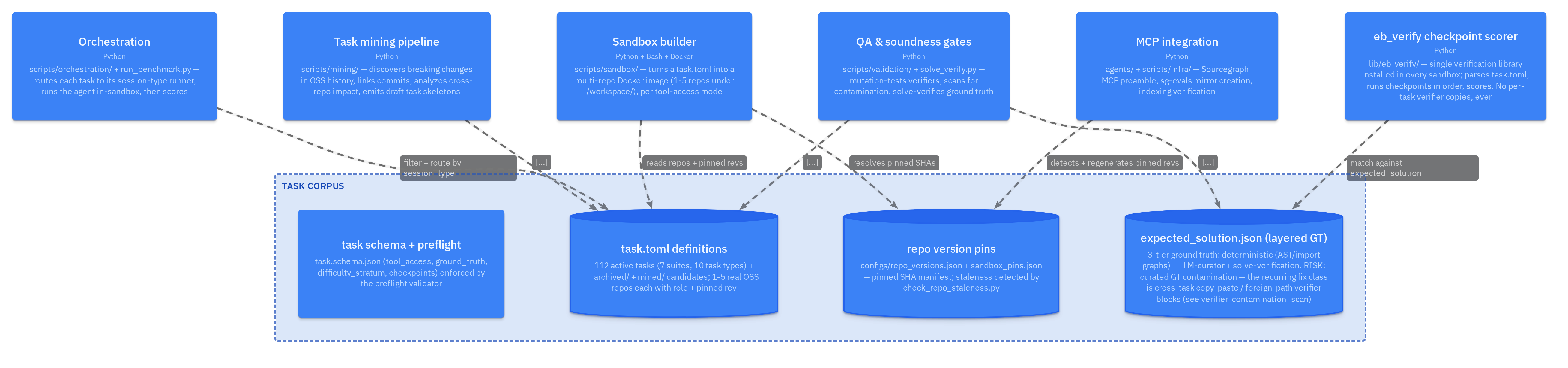
Task corpus — definitions, schema & layered ground truth
corpusContainerbenchmarks/ — 112 active task.toml across 7 suites, schema-validated, each with checkpoints + ground truth
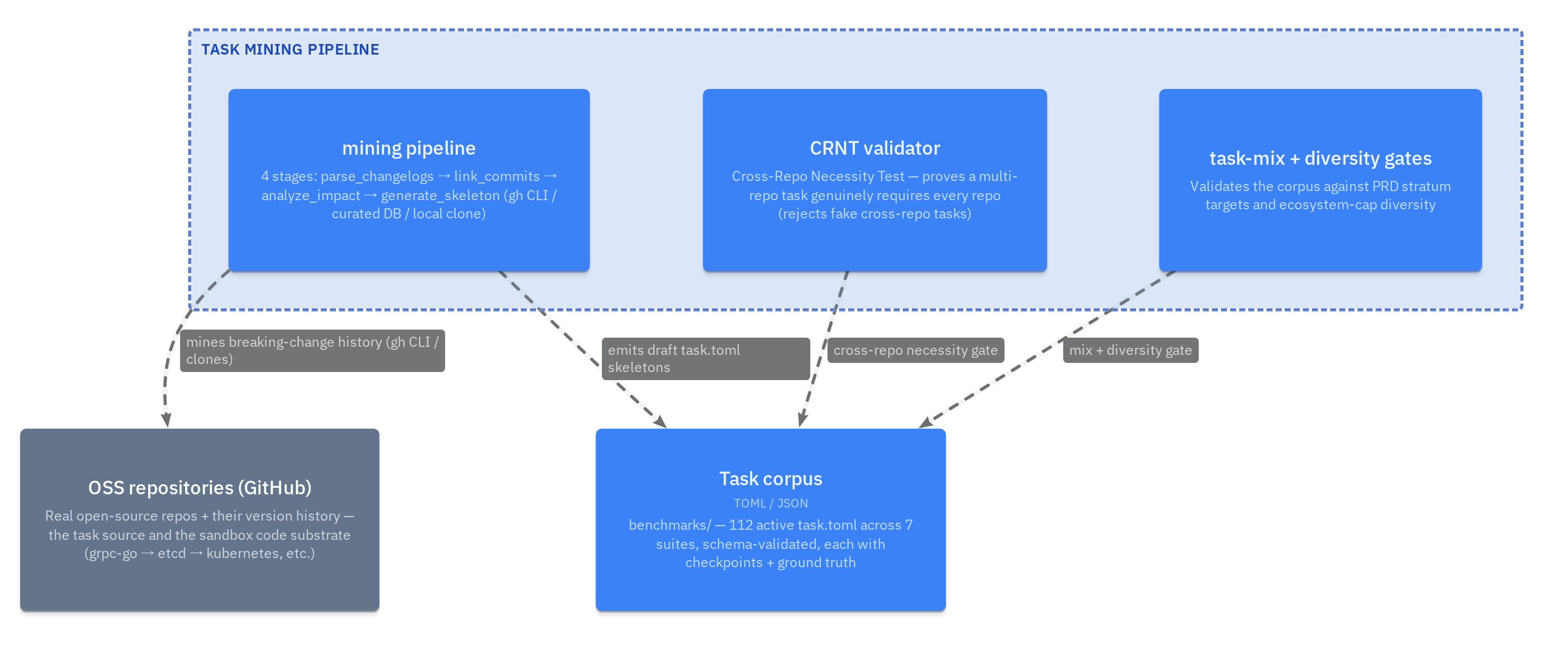
Task mining pipeline — sourcing tasks from OSS history
miningContainerscripts/mining/ — discovers breaking changes in OSS history, links commits, analyzes cross-repo impact, emits draft task skeletons
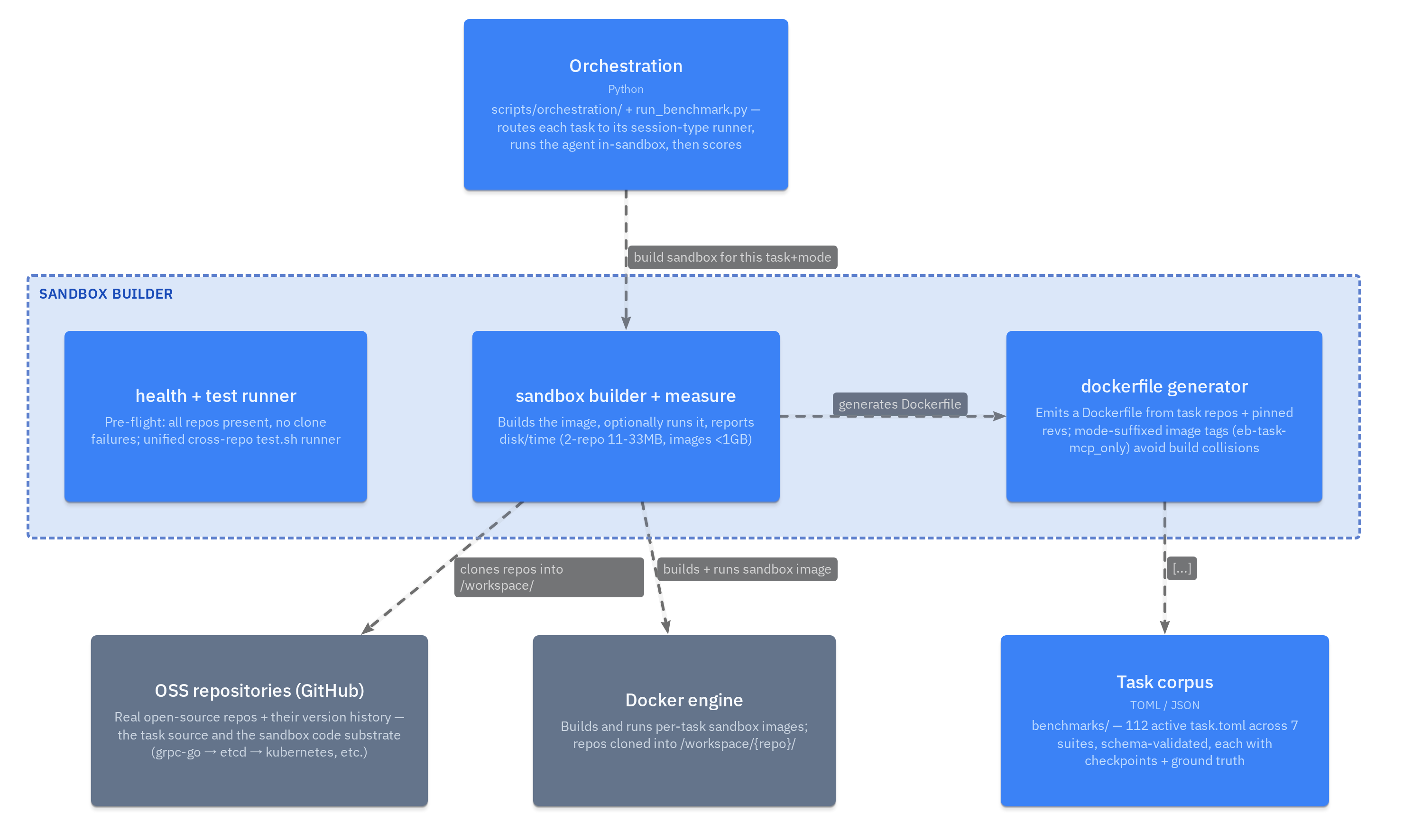
Sandbox builder — multi-repo Docker images per mode
sandboxContainerscripts/sandbox/ — turns a task.toml into a multi-repo Docker image (1-5 repos under /workspace/), per tool-access mode
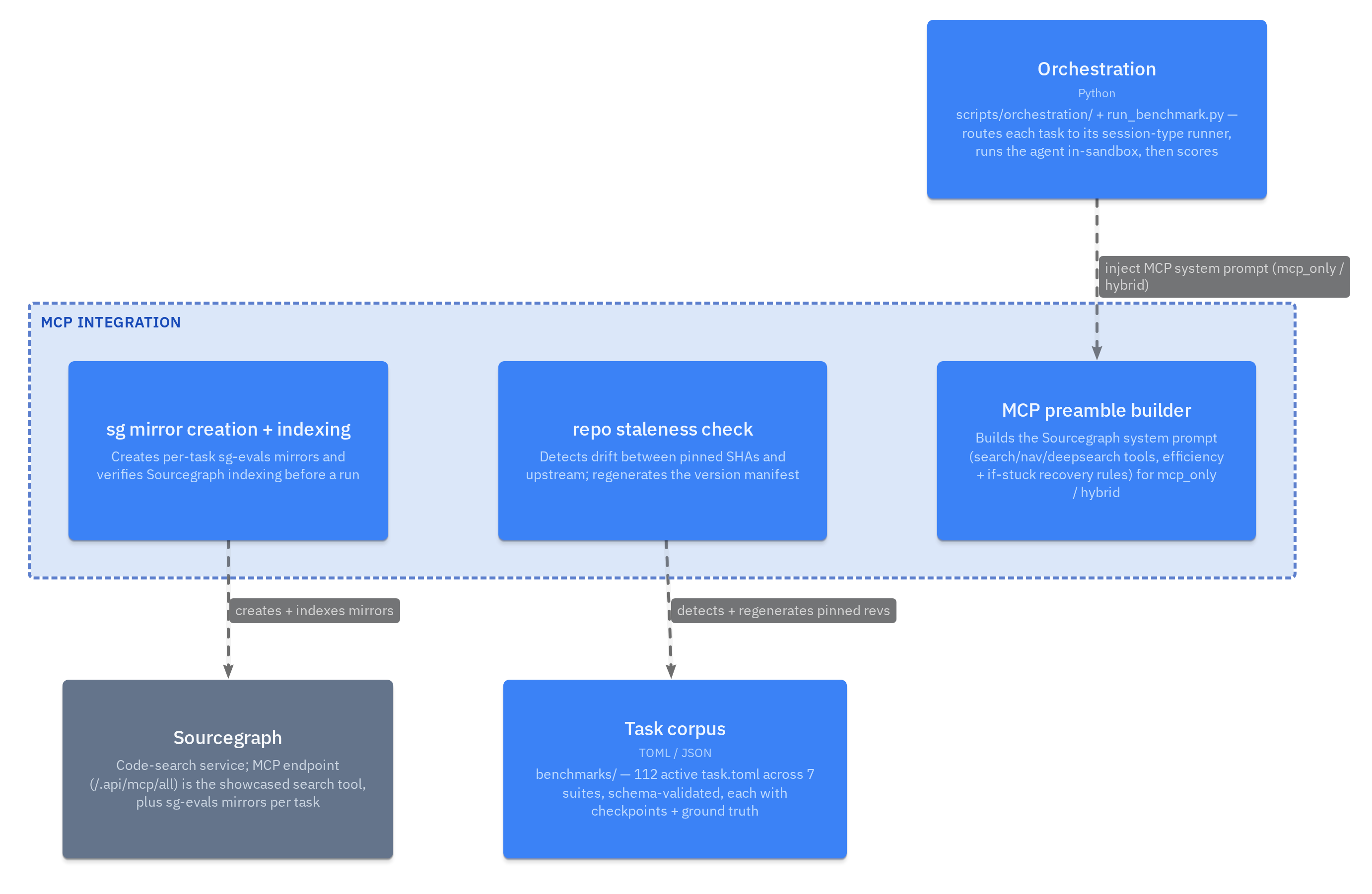
MCP integration — Sourcegraph mirrors & preamble
mcpContaineragents/ + scripts/infra/ — Sourcegraph MCP preamble, sg-evals mirror creation, indexing verification
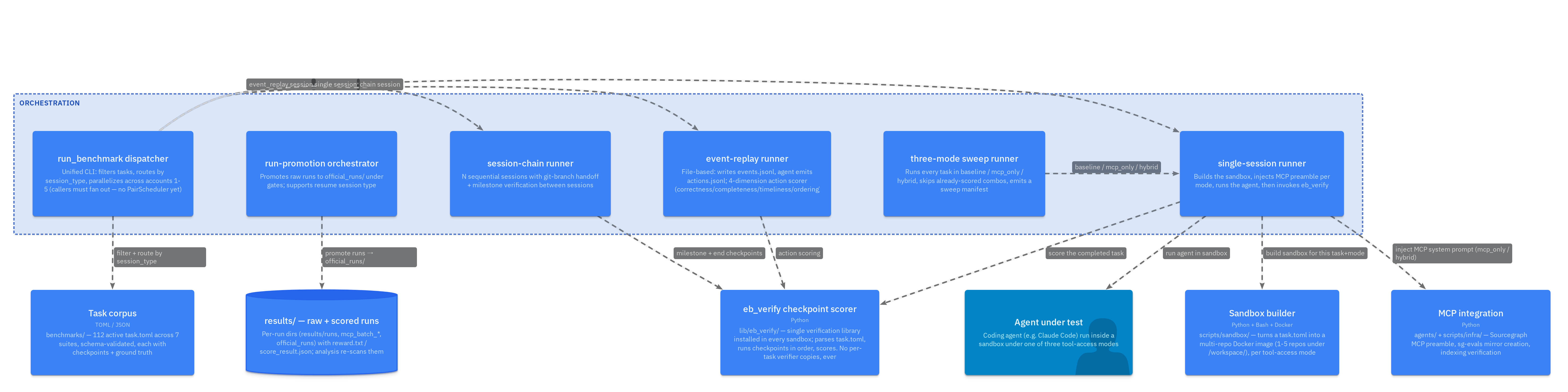
Orchestration — session-type runners & dispatch
orchestrationContainerscripts/orchestration/ + run_benchmark.py — routes each task to its session-type runner, runs the agent in-sandbox, then scores
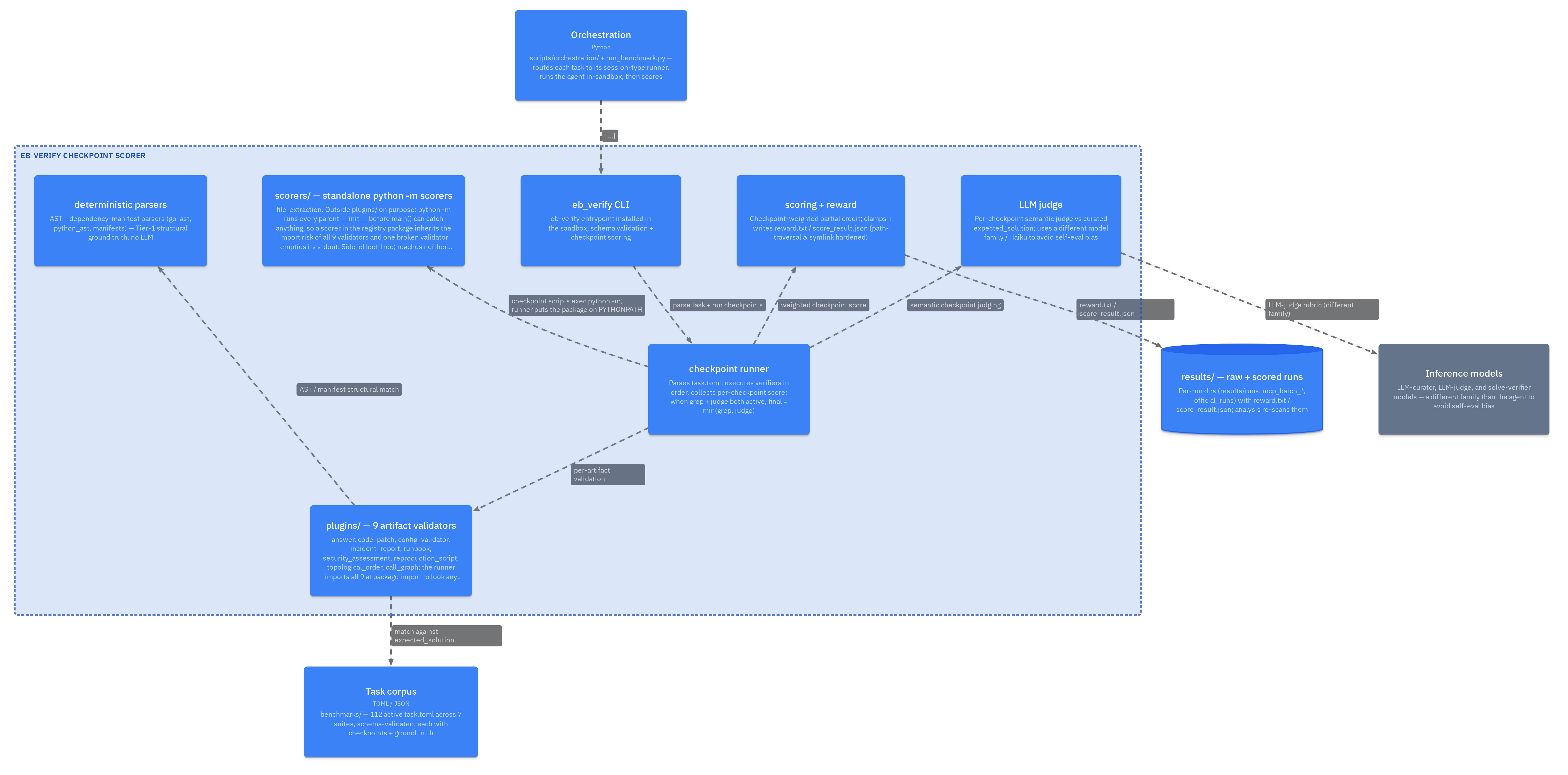
eb_verify — checkpoint runner, 9 validators, judge & scoring
verifyContainerlib/eb_verify/ — single verification library installed in every sandbox; parses task.toml, runs checkpoints in order, scores. No per-task verifier copies, ever
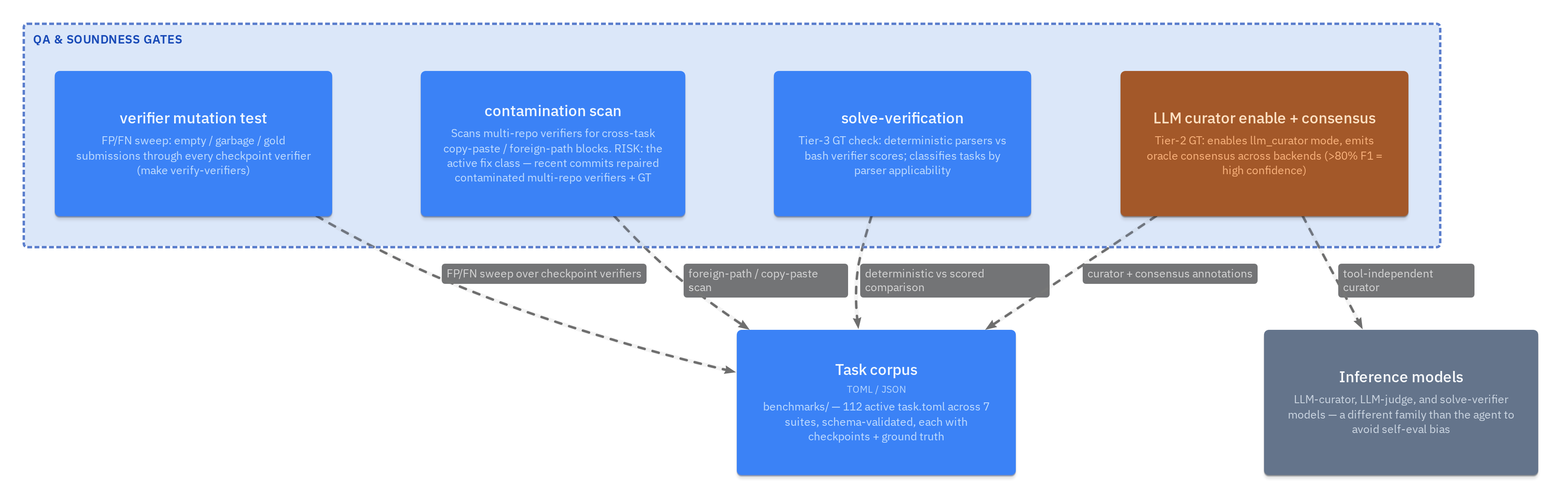
QA & soundness gates
qaContainerscripts/validation/ + solve_verify.py — mutation-tests verifiers, scans for contamination, solve-verifies ground truth
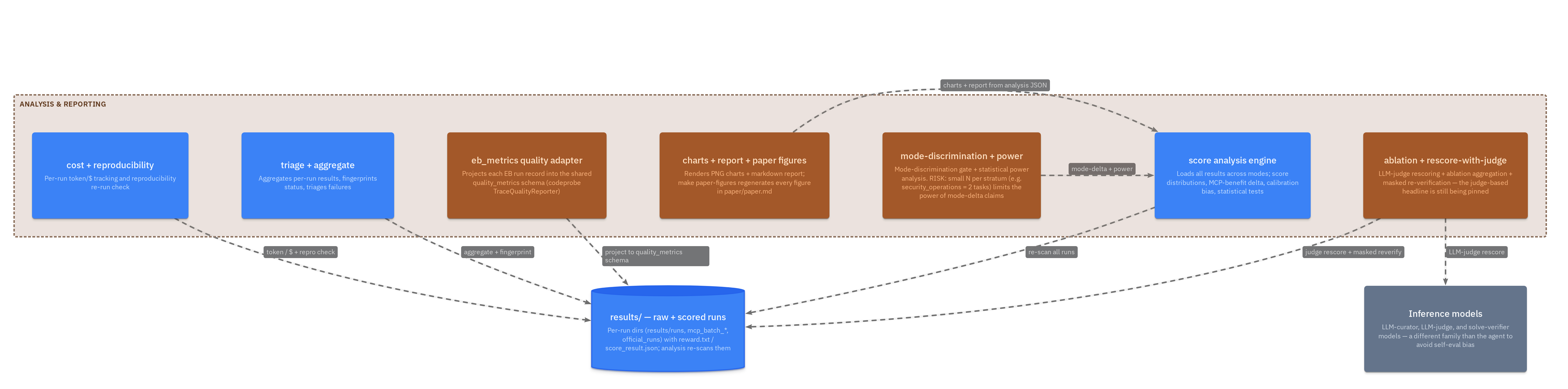
Analysis & reporting — runs → figures
analysisContainerscripts/ + scripts/analysis/ — aggregates raw runs into score distributions, the MCP-benefit delta, calibration-bias check, charts, and paper figures
How it runs
Walkthrough flows
Dynamic views — the narrative spine of the system, step by step.
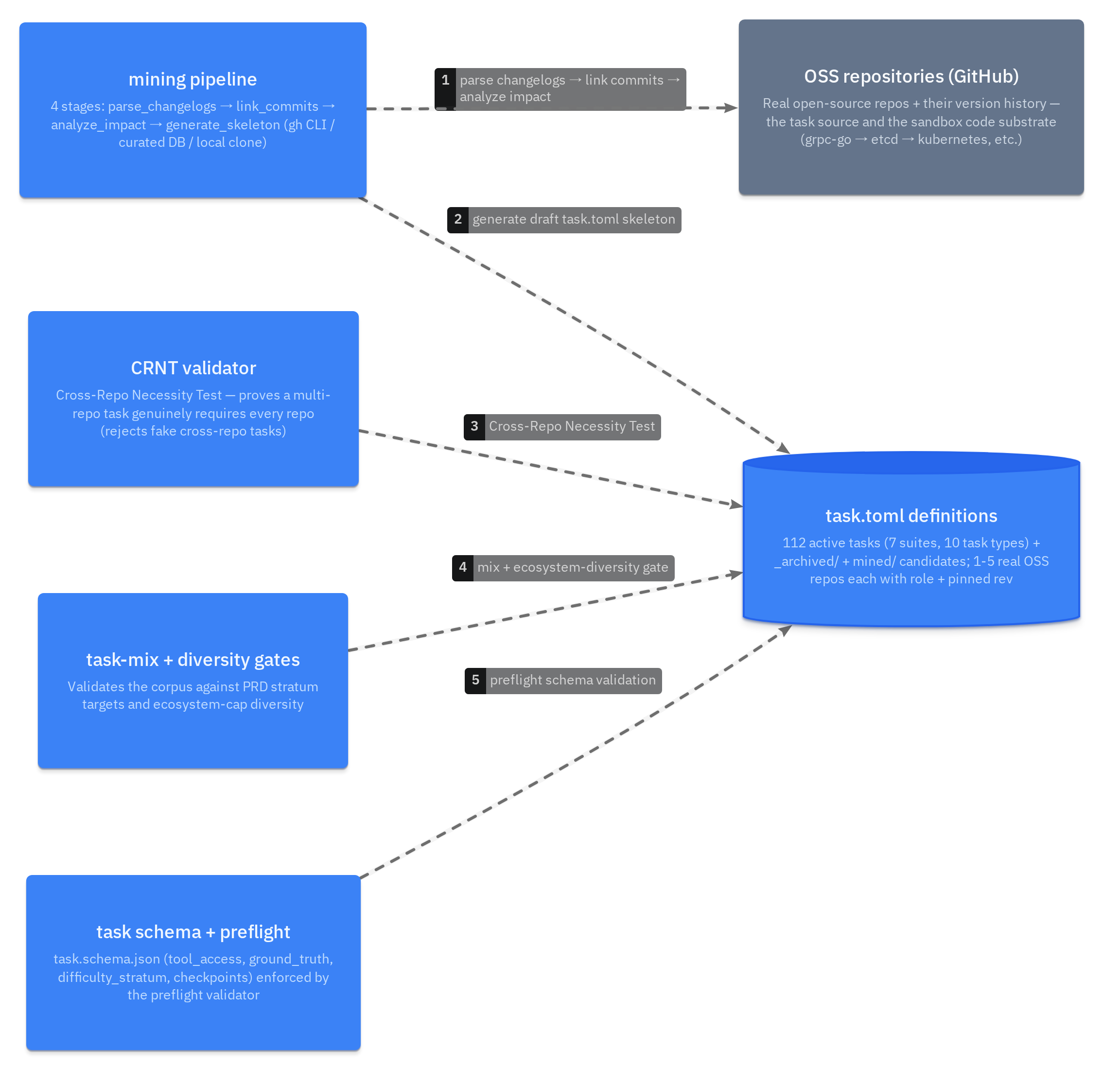
Walkthrough — mining a task from OSS history
mineTaskDiscover a real breaking change, prove it needs every repo (CRNT), and only then admit it to the corpus under the mix + diversity gates.
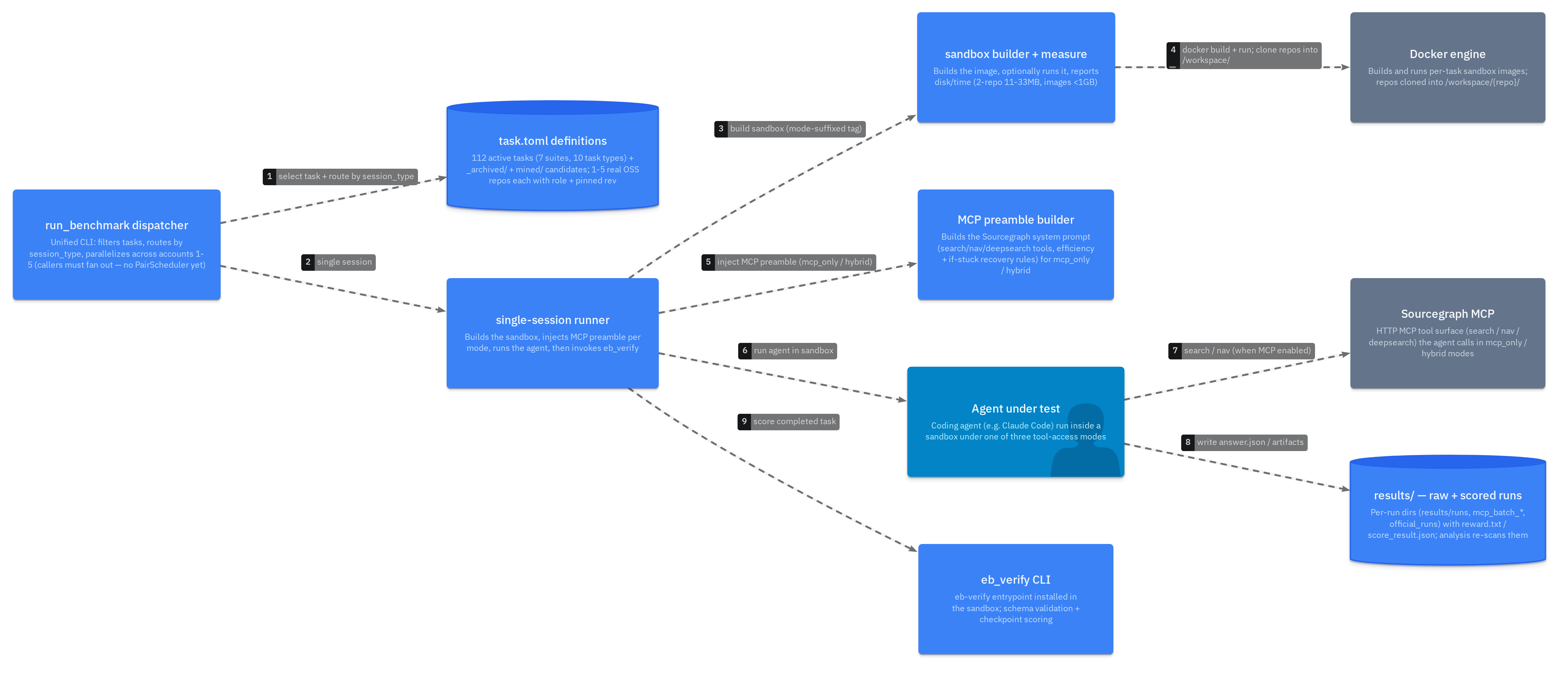
Walkthrough — a benchmark run end-to-end
benchmarkRunOne task in one tool-access mode (baseline / mcp_only / hybrid). The sweep runner repeats this across all three modes; callers fan out across accounts 1-5.
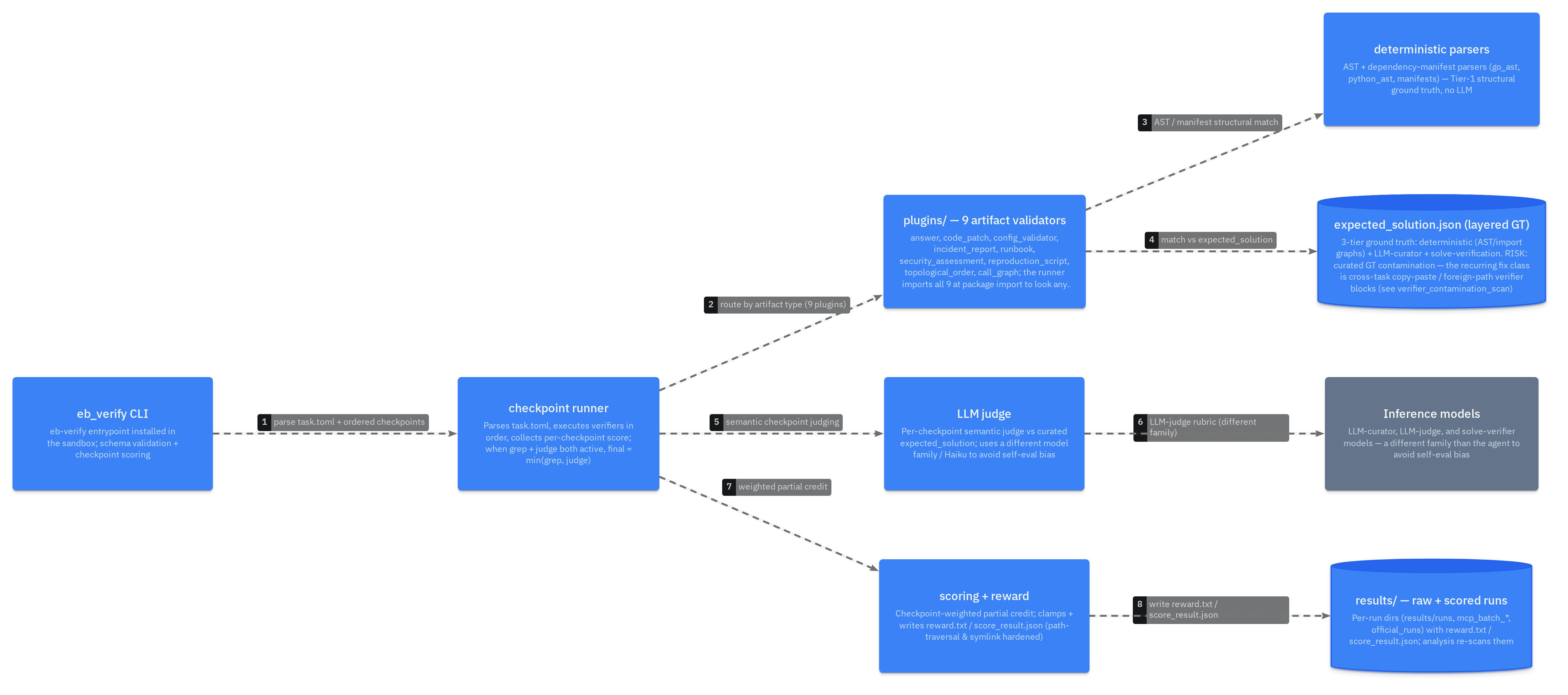
Walkthrough — checkpoint verification
verifyFlowCheckpoints run in order; per-artifact validators do structural + GT matching, the LLM judge does semantics. When both grep and judge fire, the final score is min(grep, judge).
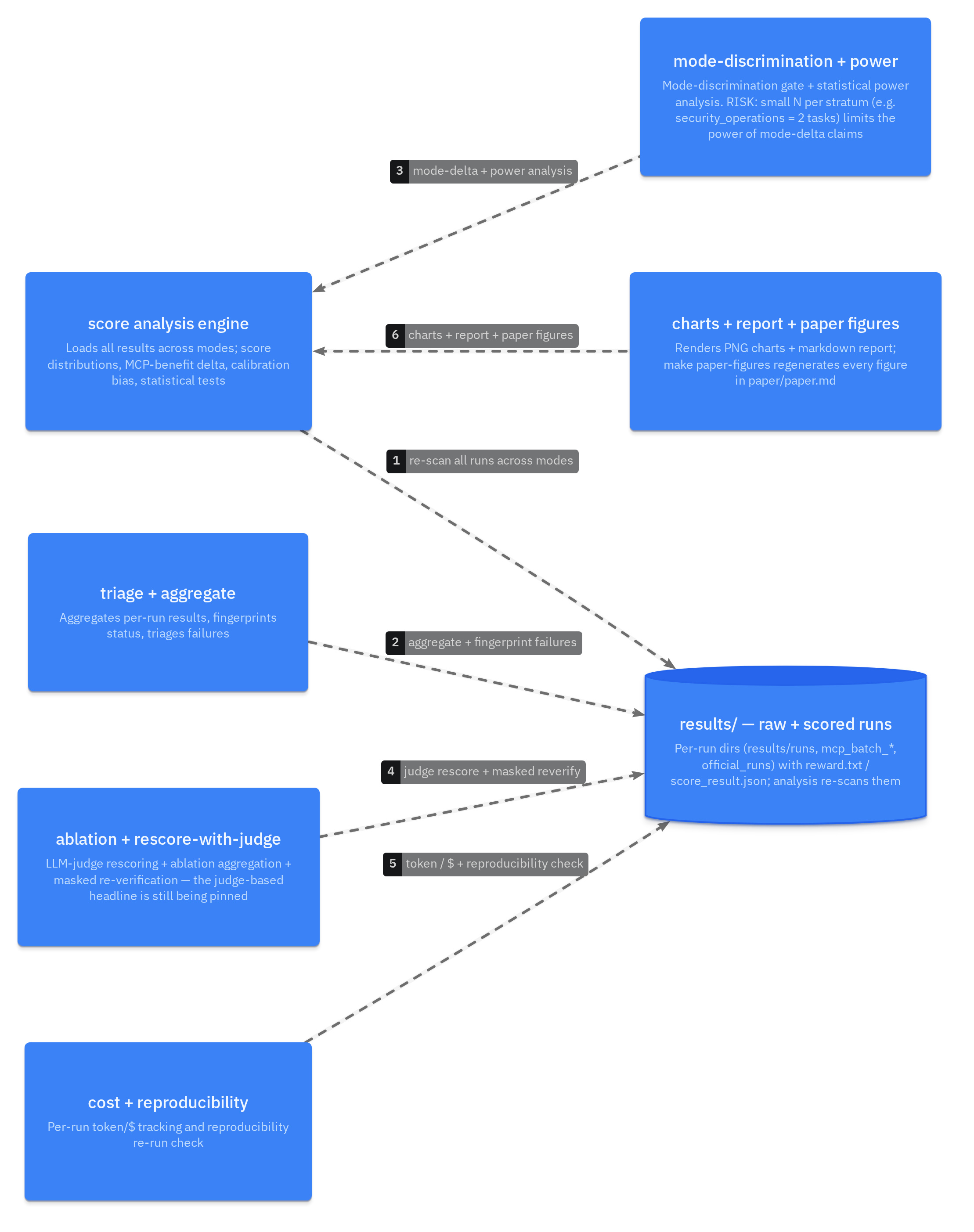
Walkthrough — runs → MCP-benefit figures
analysisFlowAfter a sweep, the analysis layer re-scans every run, checks the calibration-bias floor, runs the mode-discrimination + power gates, and regenerates the paper figures.
Where it runs
Deployment
What runs where, and the process & data boundaries between the pieces.
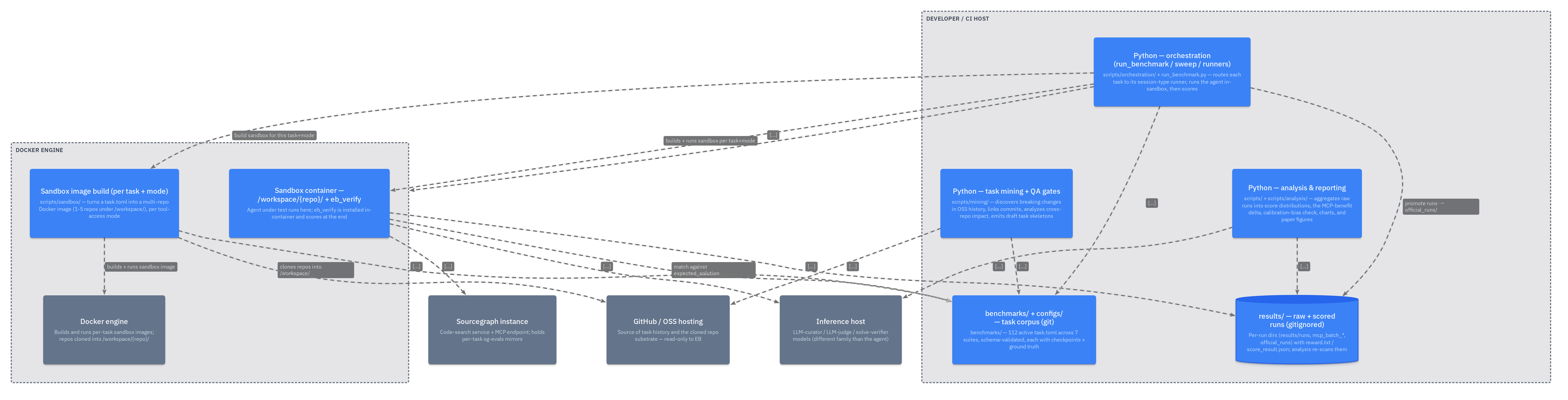
Deployment — where each piece runs
deploymentExplore it live
The figures above are static exports. The interactive explorer lets you pan, zoom, follow relationships, and jump from any box to the source.