Architecture · LikeC4
tom-swe
Theory-of-Mind plugin: learns one user across sessions and injects relevant preferences when a prompt is ambiguous
The whole picture
System landscape
The system in context, then opened up into its containers.
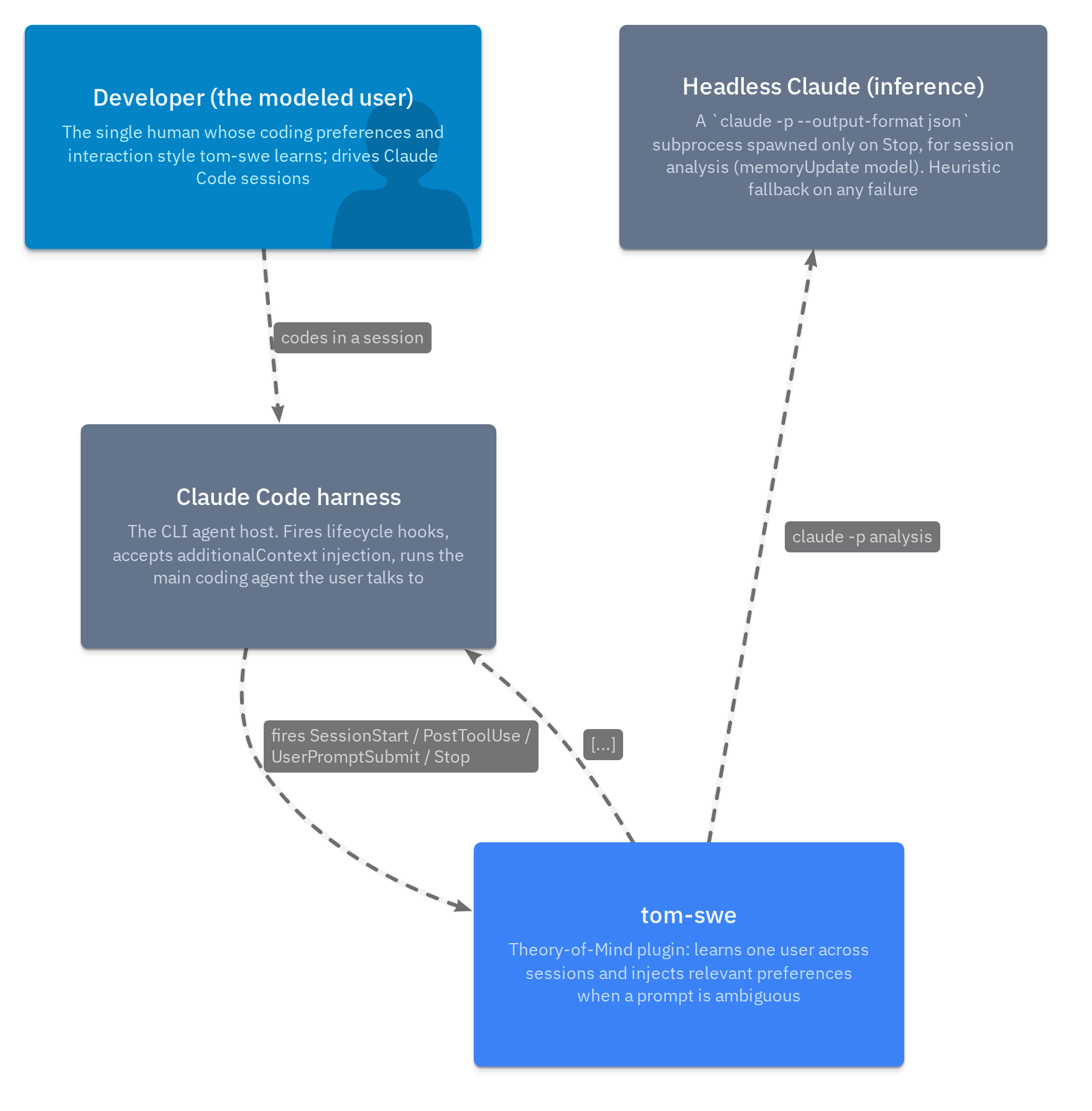
tom-swe — system landscape
index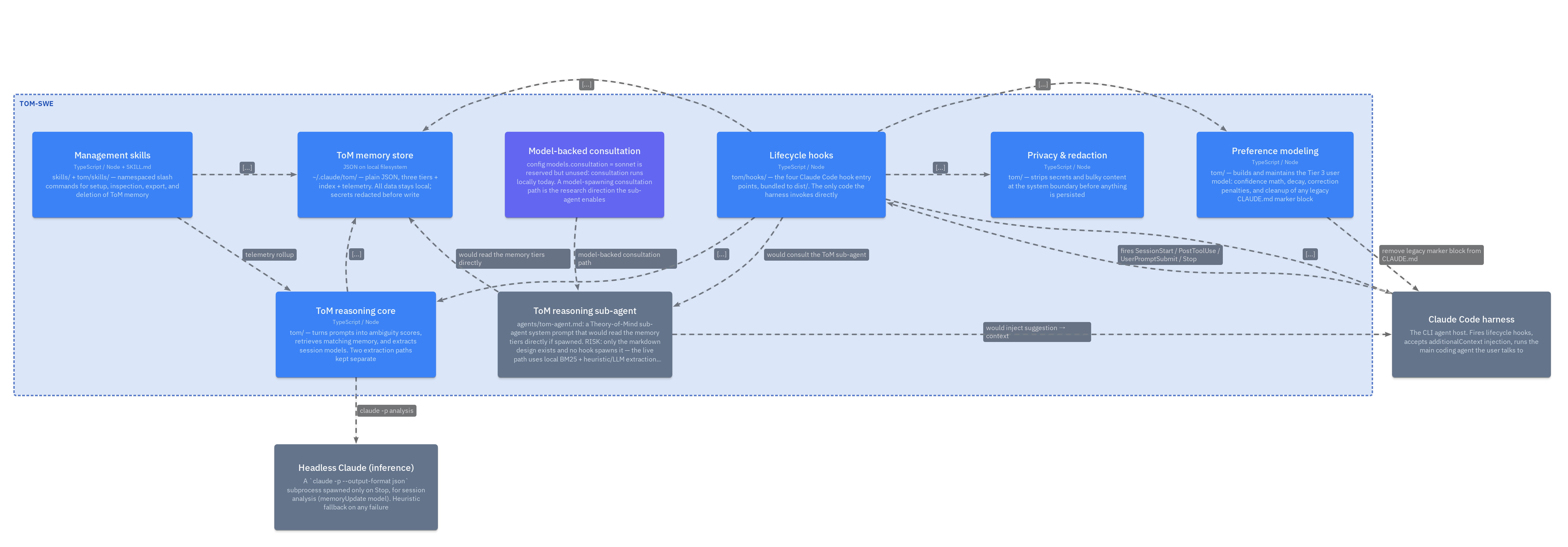
tom-swe — containers (built vs planned)
tomSystemTheory-of-Mind plugin: learns one user across sessions and injects relevant preferences when a prompt is ambiguous
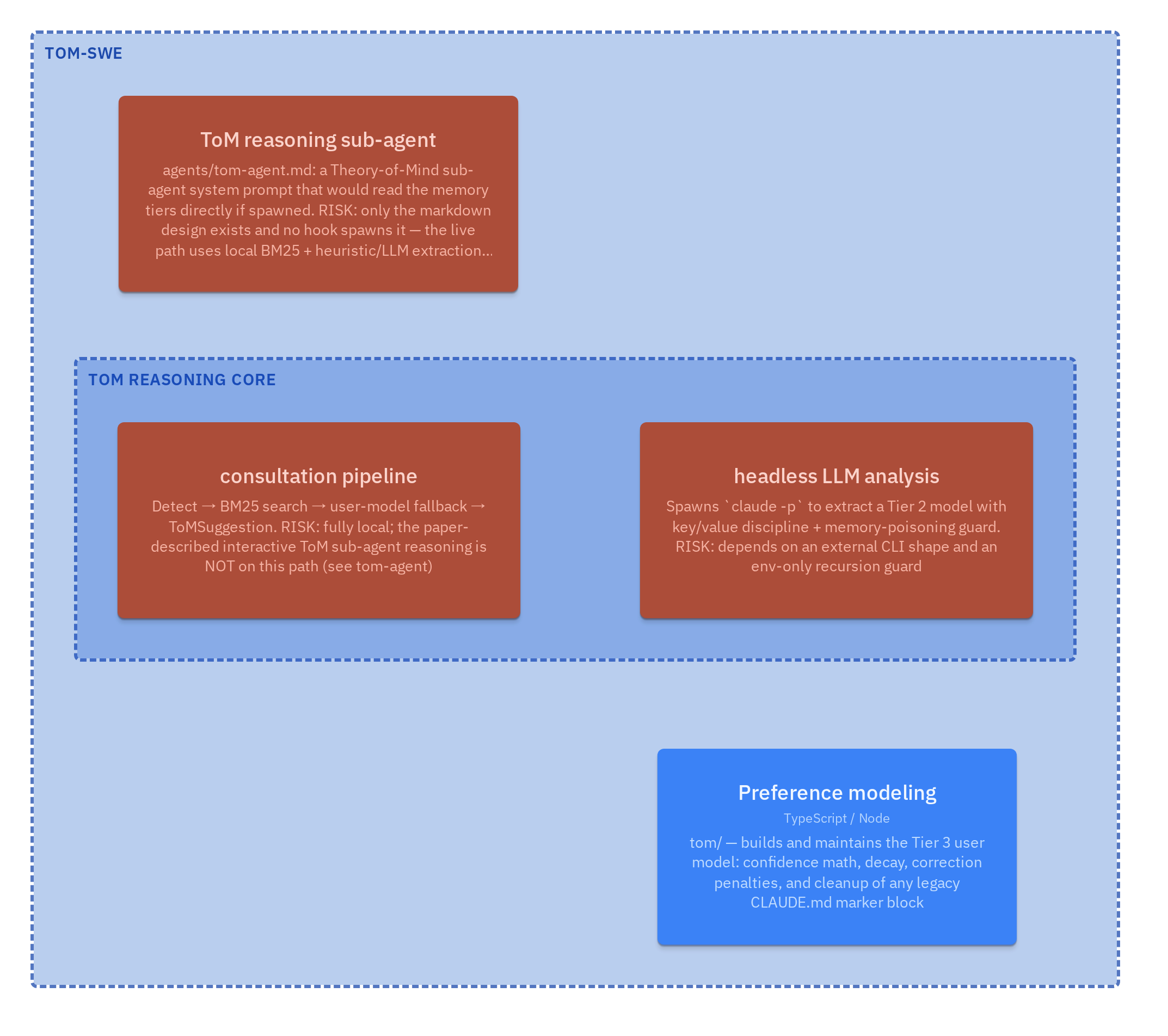
Risks & open questions
risks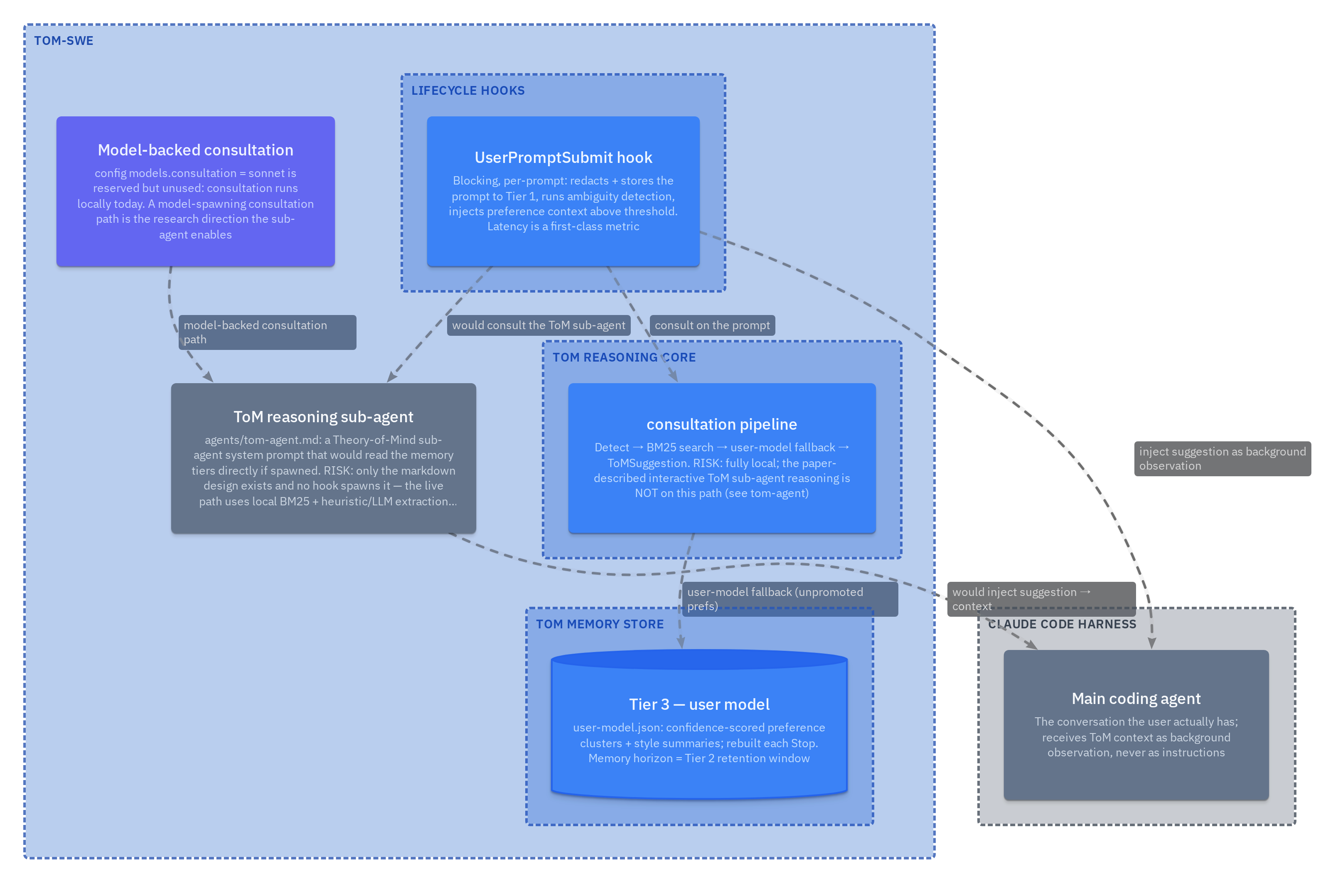
Planned & research work
plannedInside each box
Containers & components
Each part decomposed into the components that implement it. Every box links to its source in the interactive explorer.

Lifecycle hooks (tom/hooks/) — the Claude Code integration surface
hooksContainertom/hooks/ — the four Claude Code hook entry points, bundled to dist/. The only code the harness invokes directly
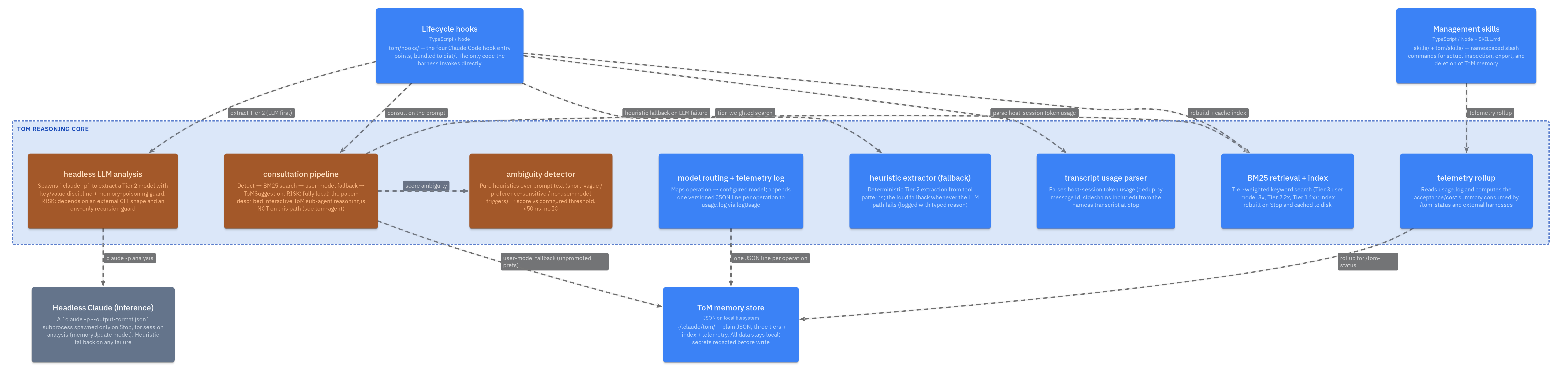
ToM reasoning core (tom/) — components
reasoningContainertom/ — turns prompts into ambiguity scores, retrieves matching memory, and extracts session models. Two extraction paths kept separate
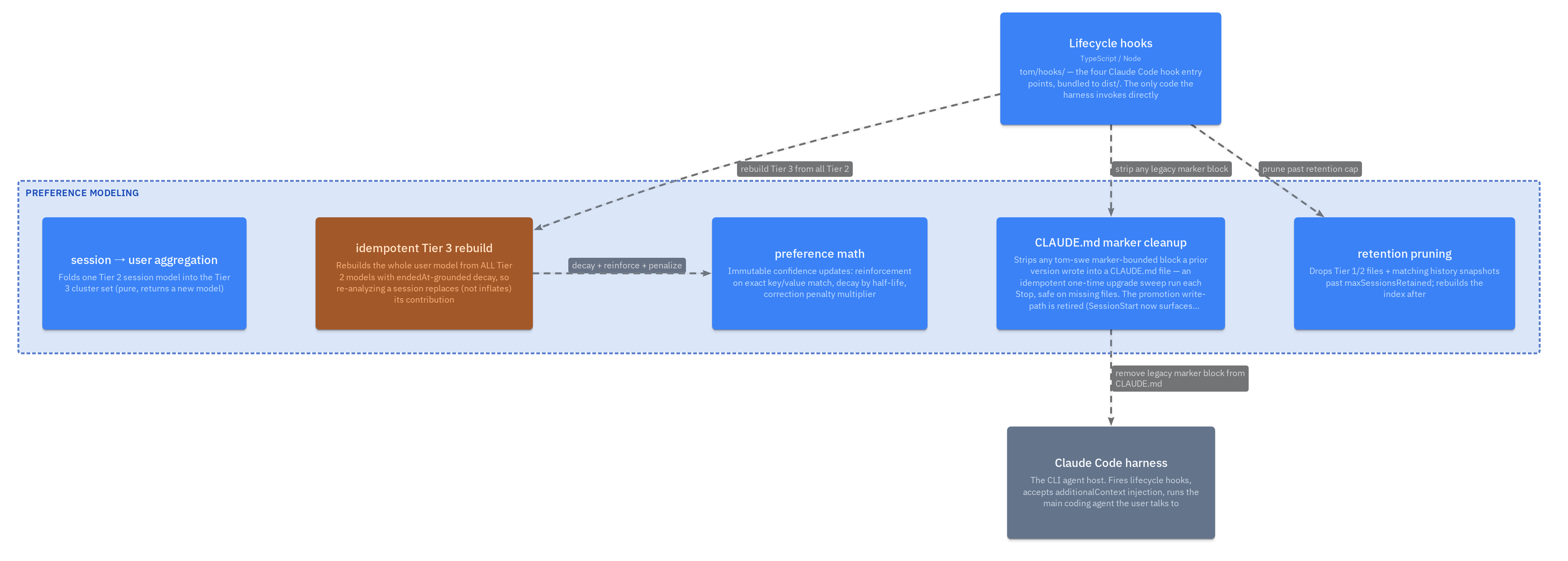
Preference modeling — aggregation, rebuild, marker cleanup
modelingContainertom/ — builds and maintains the Tier 3 user model: confidence math, decay, correction penalties, and cleanup of any legacy CLAUDE.md marker block
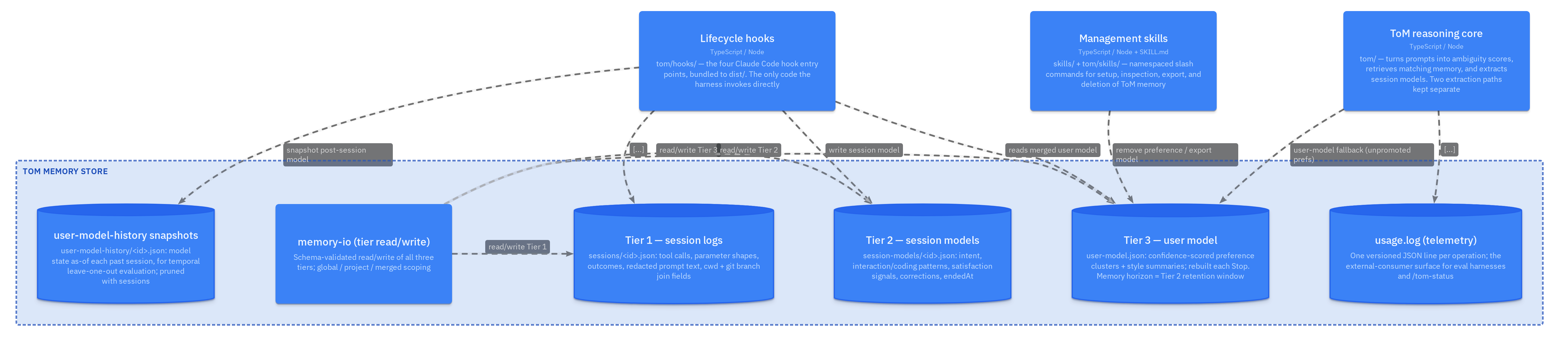
ToM memory store (~/.claude/tom/) — three tiers + index + telemetry
storeContainer~/.claude/tom/ — plain JSON, three tiers + index + telemetry. All data stays local; secrets redacted before write
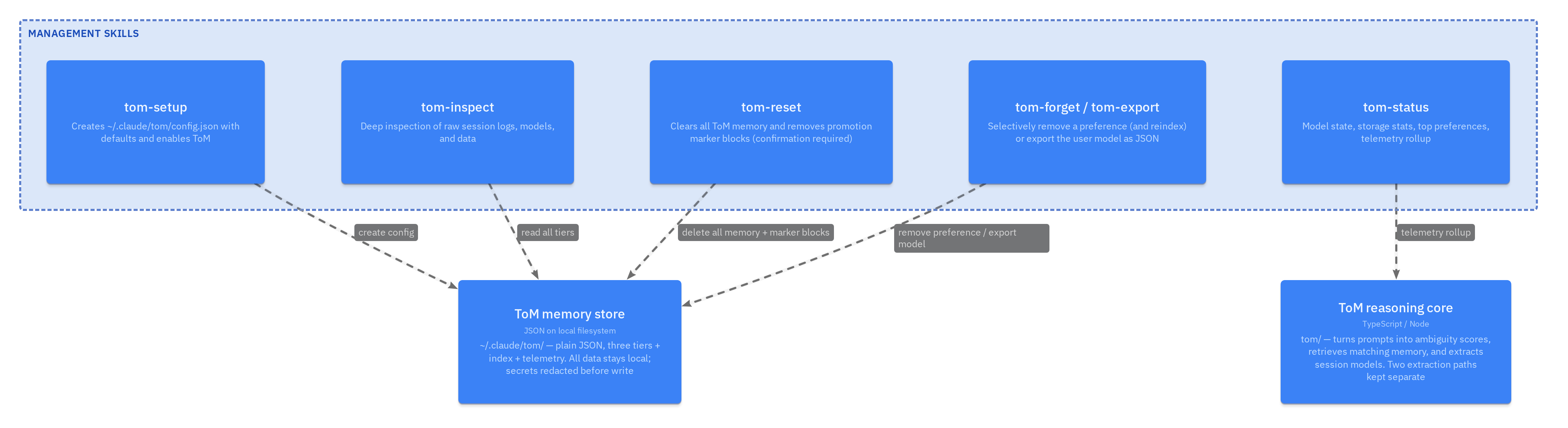
Management skills — setup / status / inspect / reset / forget / export
skillsContainerskills/ + tom/skills/ — namespaced slash commands for setup, inspection, export, and deletion of ToM memory
How it runs
Walkthrough flows
Dynamic views — the narrative spine of the system, step by step.
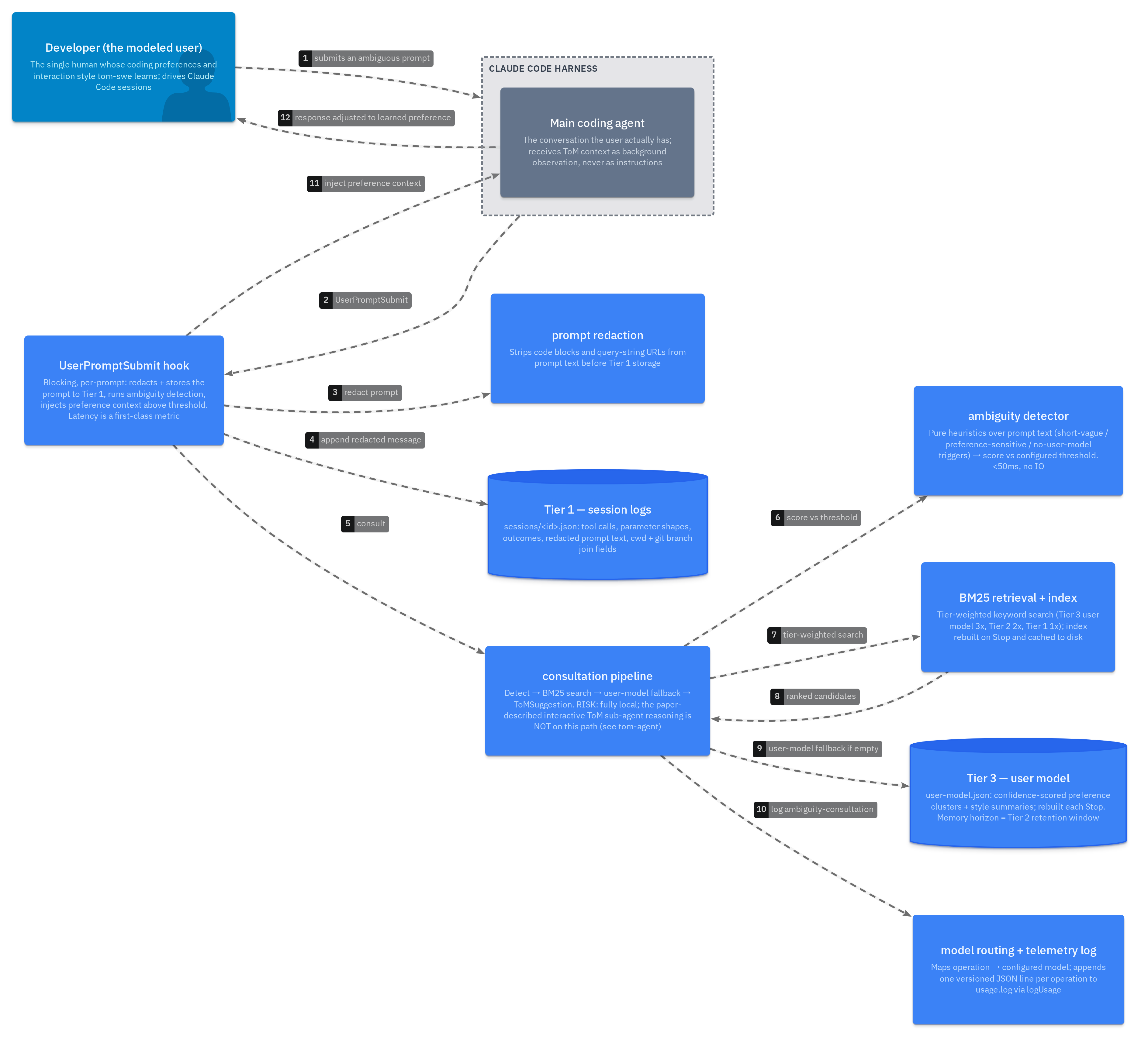
Walkthrough — ambiguity → ToM consultation → response adjustment
consultFlowThe live runtime path. Fully local: ambiguity is heuristic, retrieval is BM25 over the cached index, and the suggestion is injected as background observation — never as instructions, never blocking the prompt.
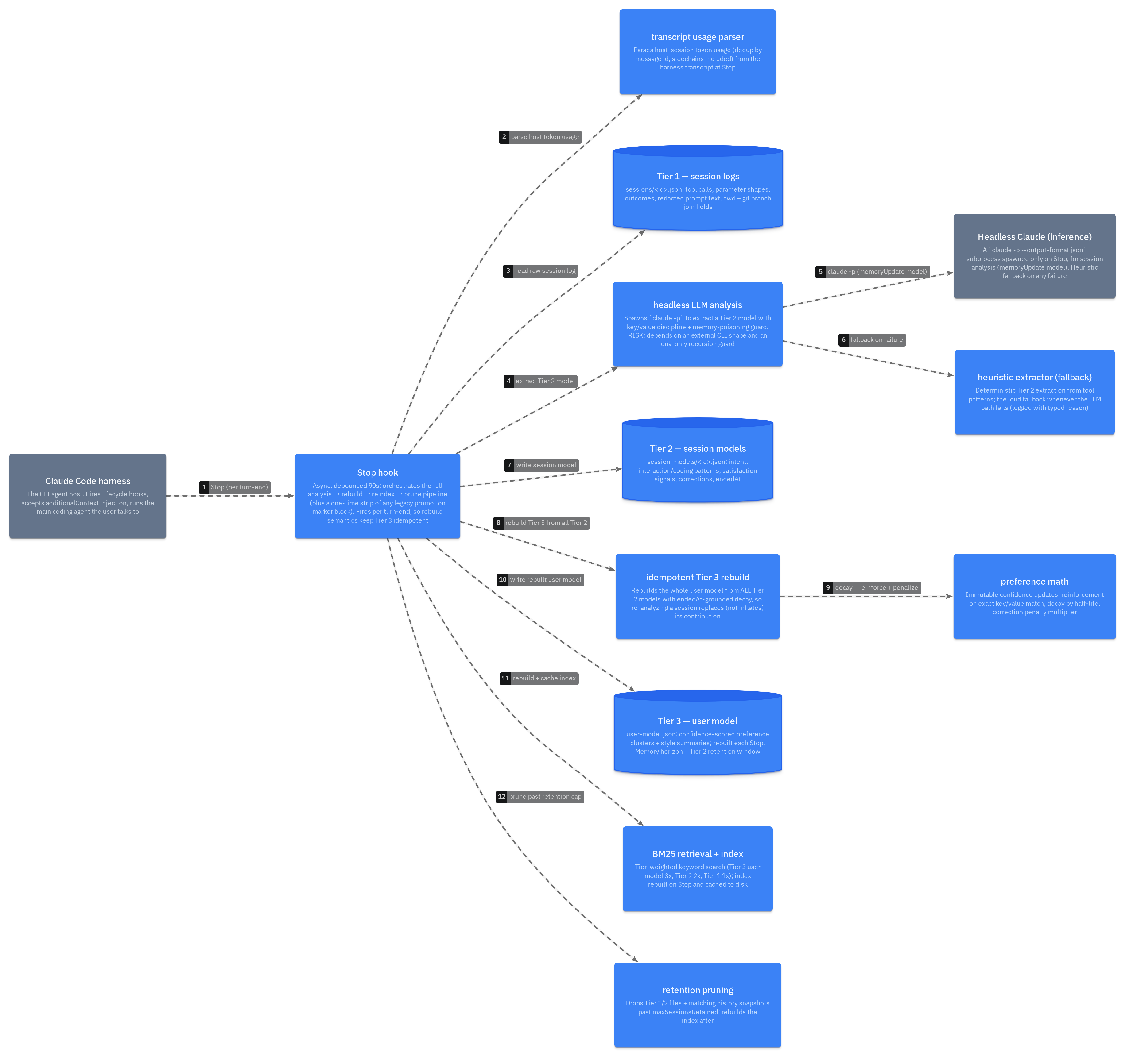
Walkthrough — Stop-hook analysis & model rebuild
analyzeFlowStop fires per turn-end, debounced 90s. The LLM path runs first; any failure falls back loudly to the heuristic extractor. Tier 3 is REBUILT from all Tier 2 (idempotent), not incremented — re-analysis replaces a session’s contribution.
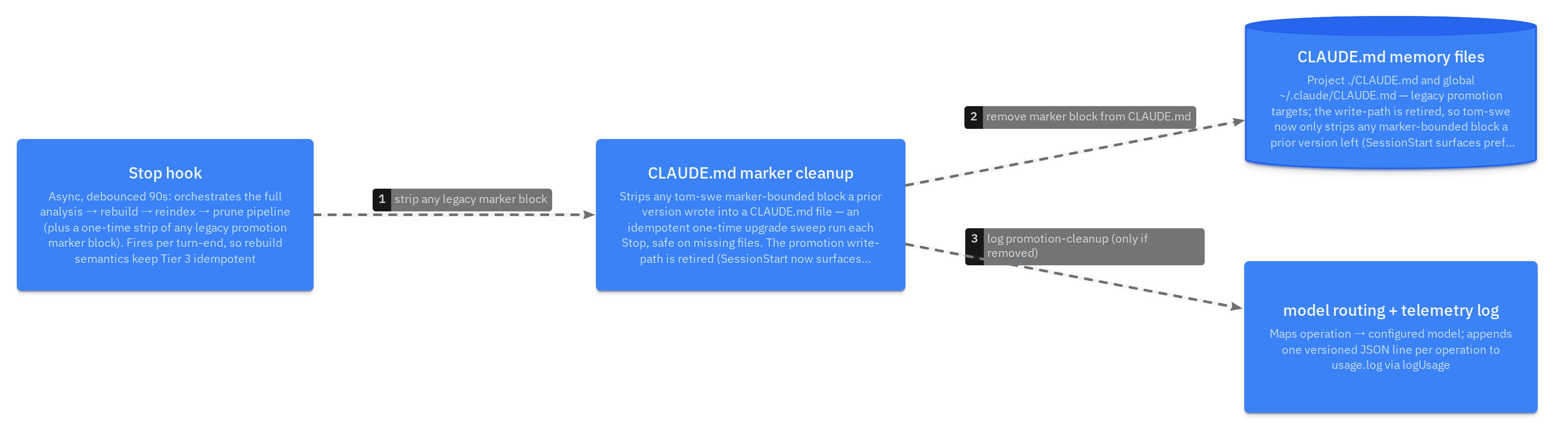
Walkthrough — legacy CLAUDE.md marker-block cleanup
promotionFlowThe promotion write-path is retired (tom-swe-x1m.2): SessionStart now surfaces confident prefs directly, so nothing is ever written into CLAUDE.md. All that remains is a one-time upgrade sweep on Stop that strips any marker-bounded block a prior version left. Idempotent and safe on missing files — it self-heals an upgraded install on the first fire that still finds a block, then no-ops (logged only when a block is actually removed).
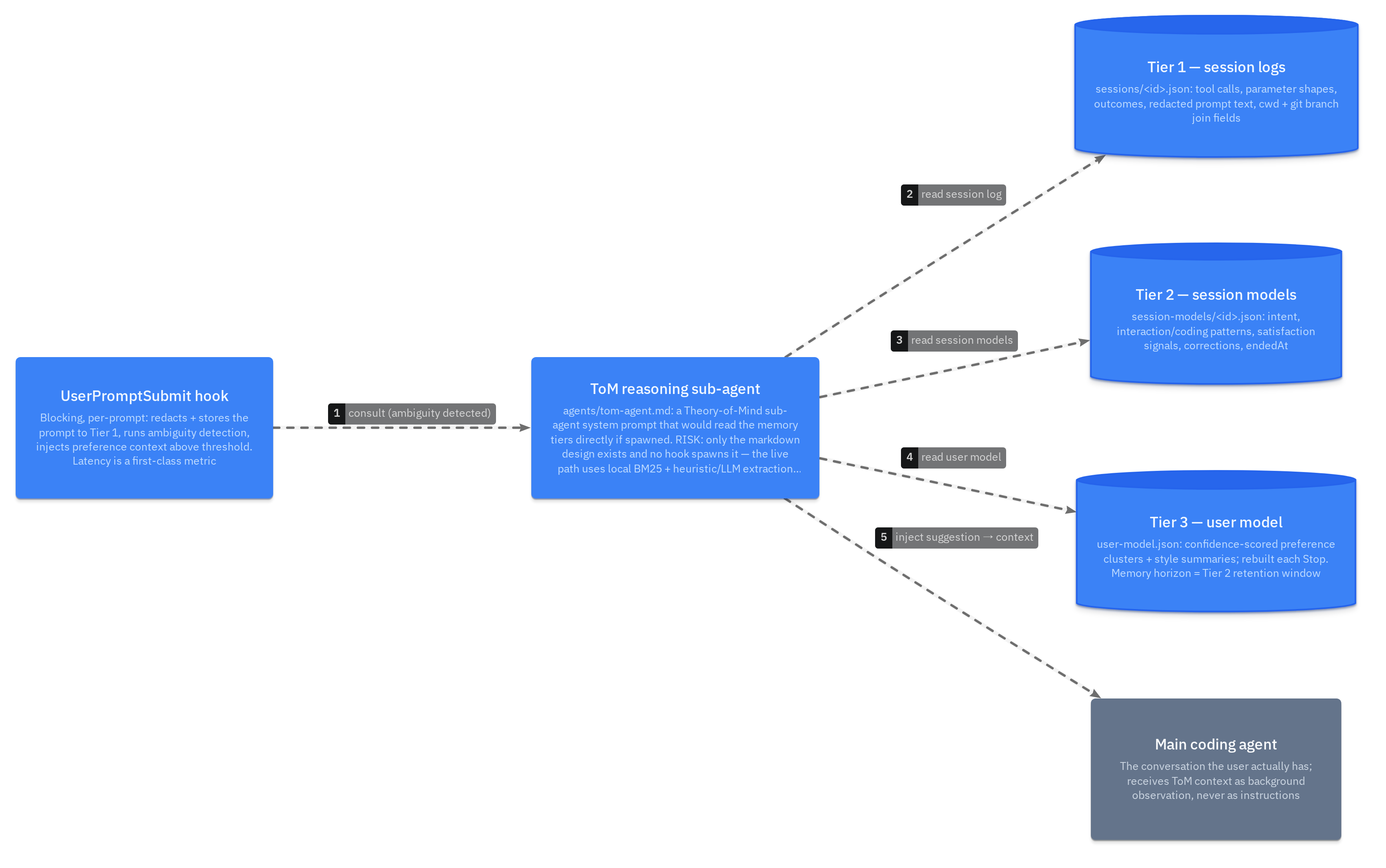
Walkthrough — planned ToM sub-agent consultation loop
agentLoopPLANNED. The sub-agent (agents/tom-agent.md) is a design-only system prompt — no hook spawns it and its former programmatic tool layer was removed as dead code; today consultFlow runs locally instead. This is the path that would activate the paper’s interactive Theory-of-Mind reasoning.
Where it runs
Deployment
What runs where, and the process & data boundaries between the pieces.
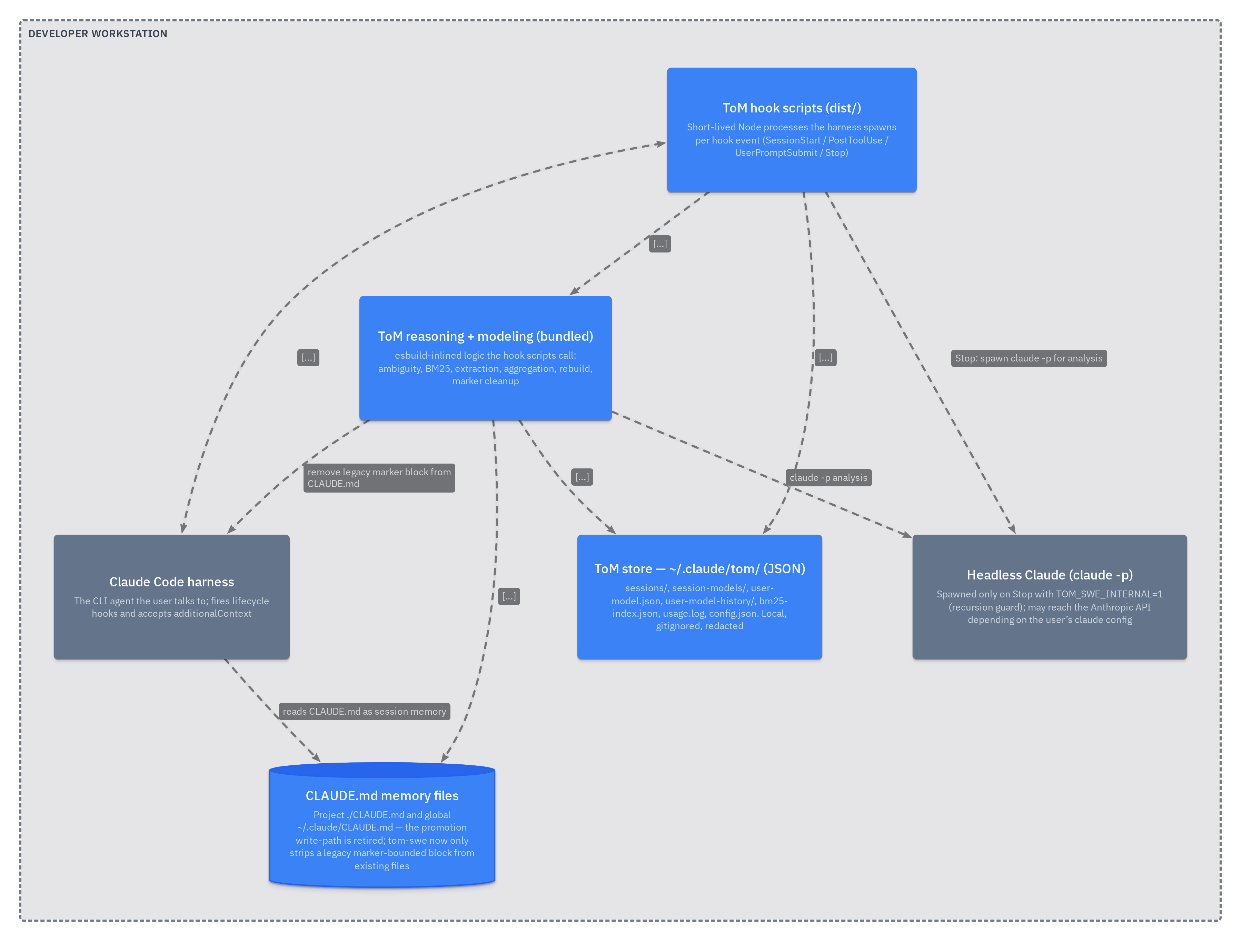
Deployment — everything runs on the developer workstation
deploymentExplore it live
The figures above are static exports. The interactive explorer lets you pan, zoom, follow relationships, and jump from any box to the source.